Recommend centron
With the centron referral programme, you earn credit when you invite other people using your team's individual referral link.
Everyone who registers via your link receives €50 credit. As soon as the referred person has paid their first invoice, €25 is credited to your team. There is no limit to the credit you can earn through referrals. The conditions shown in the Referrals tab are authoritative (as at: 09/2026).
Prerequisites
- Access to the ccloud³ interface
1. Share your referral link
Click your profile icon in the top right-hand corner, select Team Einstellungen (team settings) and open the Referrals tab. Alternatively, use the referral link notice in the profile menu to go there directly.
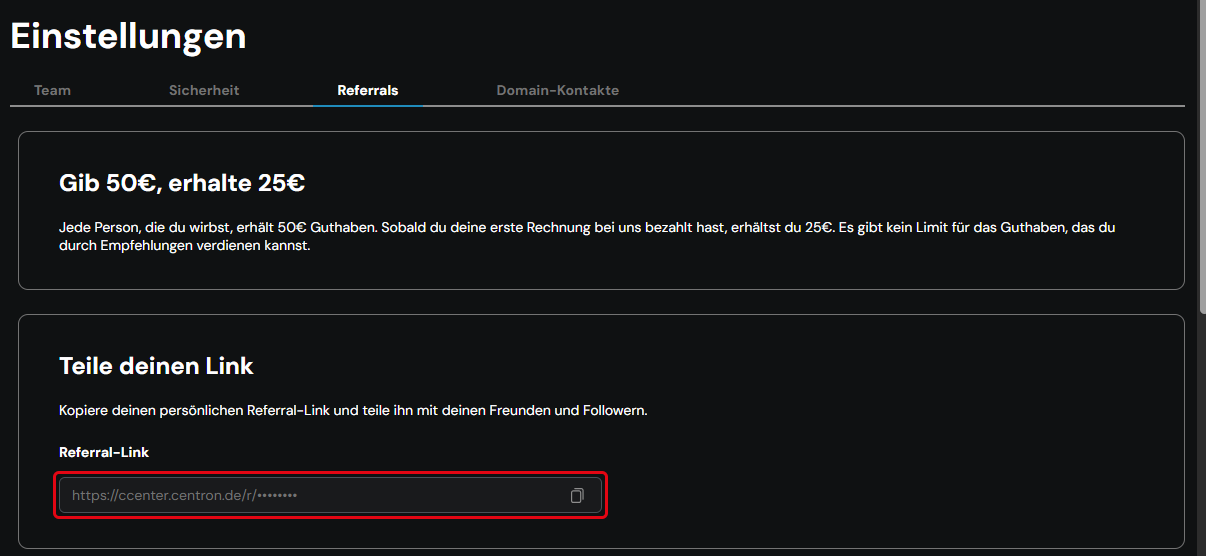
In the Teile deinen Link (share your link) area, you will find your personal link under Referral-Link. Each link is uniquely assigned to one team. Copy the link and share it, for example with business partners or on social networks.
2. Embed a banner
Alternatively, embed a banner in your website or other content. In the Füge einen Banner hinzu (add a banner) area, select a variant under Wähle einen Style (choose a style).
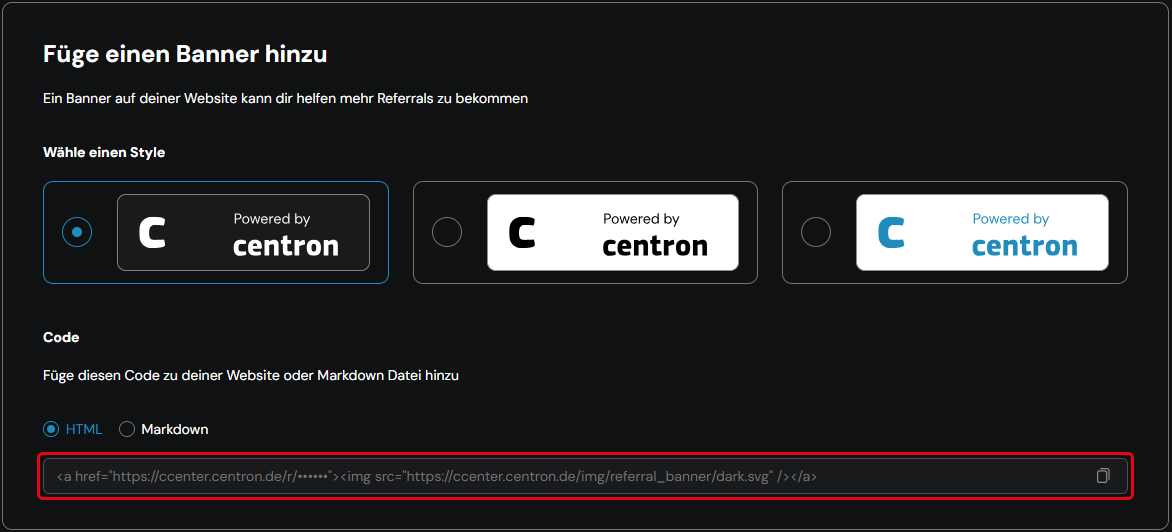
Under Code, centron provides the matching code as HTML or Markdown. It already contains your referral link. Copy the code and paste it into your website or Markdown file.
Advertising trademarks such as “centron” or “ccloud” in ads is not permitted.
3. View statistics
The Referral Statistik (referral statistics) area shows how successful your link is:
- Klicks (clicks): how often your link has been opened
- Empfehlungen (referrals): how many people have registered via your link
- Ausstehend (pending): credit you will receive as soon as your referrals pay their first invoice
- Verdient (earned): credit that has already been credited to your team