Create and manage API tokens
An API token lets you access your team's resources via the ccloud API, for example from your own scripts. A token works like a combined username and password for API authentication.
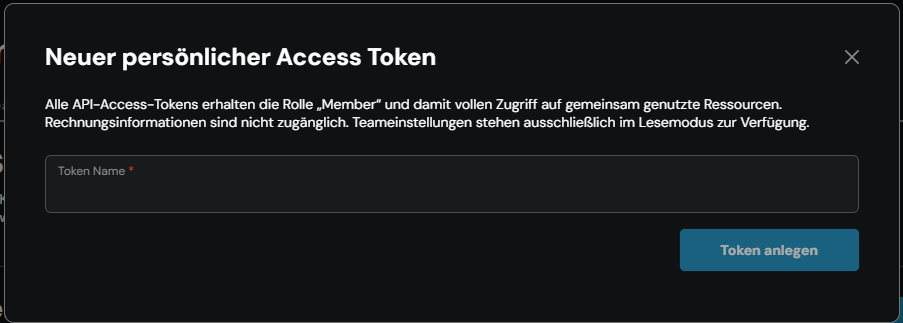
Every API token is given the role Member and therefore full access to the team's shared resources. Billing information is not accessible, and the team settings are read-only.
Prerequisites
- Access to the ccloud³ interface
1. Create a token
If necessary, switch to the team you want via the profile icon in the top right-hand corner and Team wechseln (switch team). Then open Team Einstellungen (team settings) via the profile icon and select the Sicherheit (security) tab.
In the Persönliche Zugriffstoken (personal access tokens) section, click Neuen Token erstellen (create new token).

In the Neuer persönlicher Access Token (new personal access token) window, enter a meaningful name under Token Name, for example the purpose or the system that will use the token. Click Token anlegen (create token).
2. Store the credentials
The API Token wurde erstellt (API token created) window shows the token's credentials: Client ID and Secret.
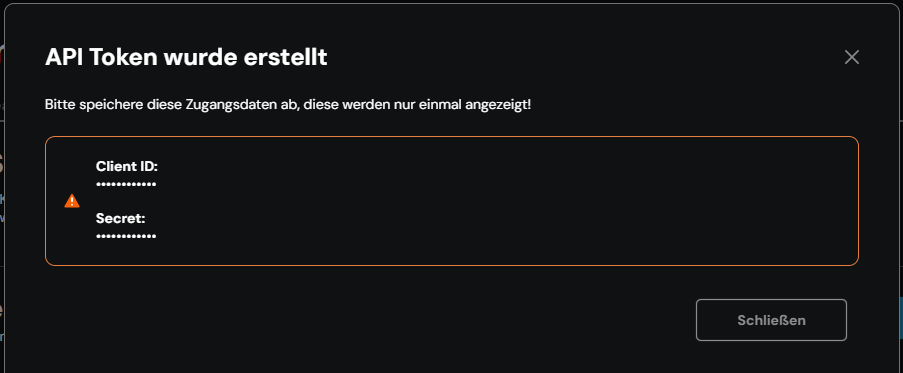
The credentials are shown only once. Store the client ID and secret in a safe place straight away, for example in a password manager, before you close the window with Schließen (close).
3. View and rename tokens
The Persönliche Zugriffstoken section lists all of the team's tokens with Name, Umfang (scope), Erstellt am (created on) and Zuletzt verwendet (last used). Umfang shows the token's permissions, for example LESEN (read) and SCHREIBEN (write).

To rename a token, click Mehr (more) at the end of the row and select Bearbeiten (edit). In the Access Token editieren (edit access token) window, change the Token Name and click Speichern (save). The client ID and secret remain unchanged.
4. Delete a token
Click Mehr at the end of the row and select Löschen (delete). Confirm in the API Token löschen (delete API token) window with Token löschen (delete token).
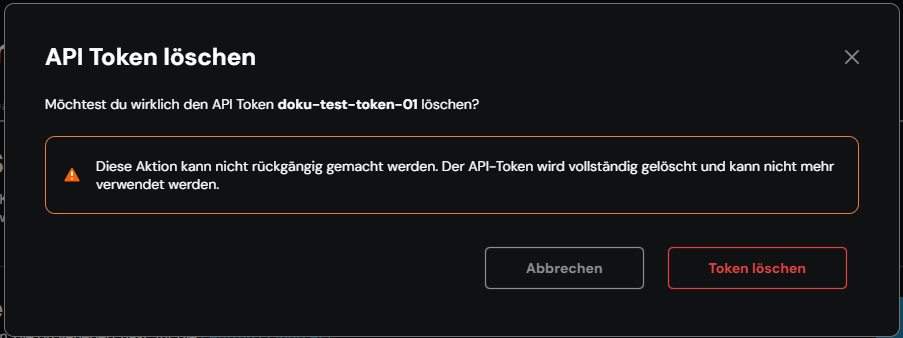
Deletion cannot be undone. The token can no longer be used afterwards – scripts and applications that use it lose access.