Roles in a team
Each team member has exactly one role. The role determines what the member can access: shared resources, billing information and the team settings. You choose the role when inviting a member and can change it later.
View roles
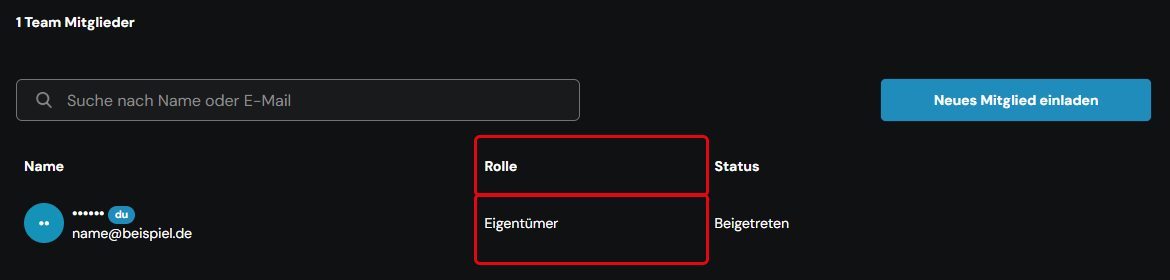
Click your profile icon in the top right-hand corner and select Team Einstellungen (team settings). In the Team tab, the Team Mitglieder (team members) section shows each member's role in the Rolle (role) column.
Available roles
The ccloud³ interface shows the German role names; the English meaning is given in parentheses.
| Role | Permissions |
|---|---|
| Eigentümer (owner) | Full access to shared resources, billing information and team settings |
| Mitglied (member) | Full access to shared resources. No access to billing information, read-only access to team settings |
| Modifizierer (modifier) | Read, create and modify shared resources, but not delete them. No access to other areas |
| Abrechner (biller) | Full access to billing information. No access to shared resources or team settings |
| Rechnungsbetrachter (billing viewer) | Read-only access to limited billing information. No access to shared resources or team settings |
| Ressourcenbetrachter (resource viewer) | Read-only access to shared resources. Resources cannot be created, changed or deleted; team settings are read-only |
There is no limit on the number of people per role.
The role Eigentümer can only be assigned after the person has joined the team with a different role.
Change a role
Owners change a member's role via Mehr (more) in the member's row and Rolle ändern (change role). For the individual steps, see Manage team members.