Team Security History
The security log for a Teams documents all relevant actions carried out within the Teams, such as the creation or removal of resources and API tokens.
You can access the security history of a Teams by clicking on the profile icon in the top right-hand corner of the Control Panel. Select Team Settings from the drop-down menu and then navigate to the Security section to open the Teams’s security page:
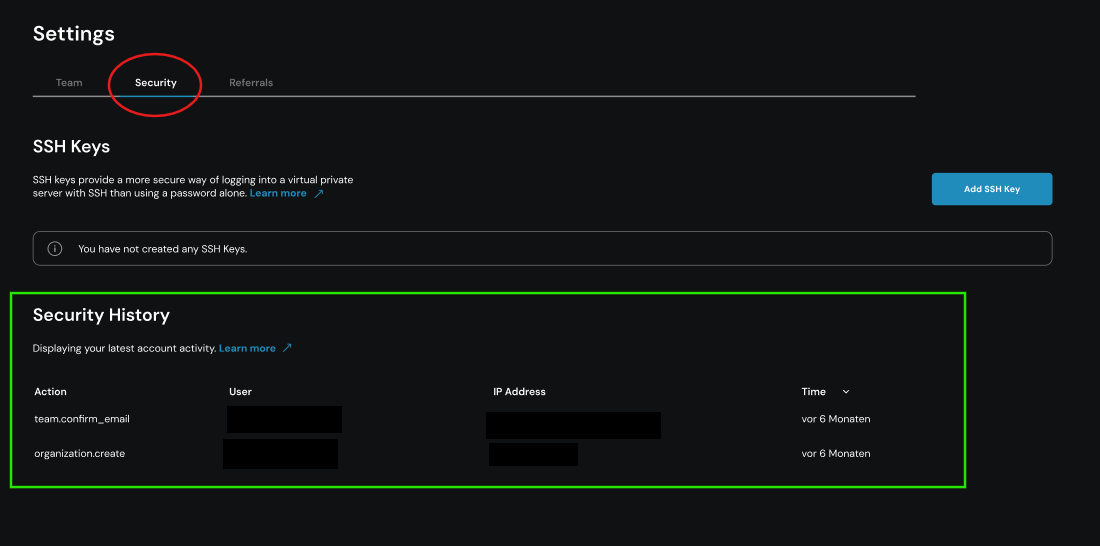
In the Security History section, the relevant action, the person who carried it out, the associated IP address and the time of the event are displayed for each entry.
If you require information beyond the security history currently available, please contact our support team.
Requirements
- Access to the centron Control Panel