Register and add your own end customers
As an authorised channel partner, you can register potential end customers via the centron portal and assign them to your channel partner area. For credit to be calculated at a later date, the end customer must have been clearly recorded and confirmed by centron. To complete this process successfully, please follow the steps below:
1. Log in to the portal
First, log in to the centron Portal. It is important that you log in using the company account through which you are participating in the Channel Partner Programme.
2. Open the Channel Partner Dashboard
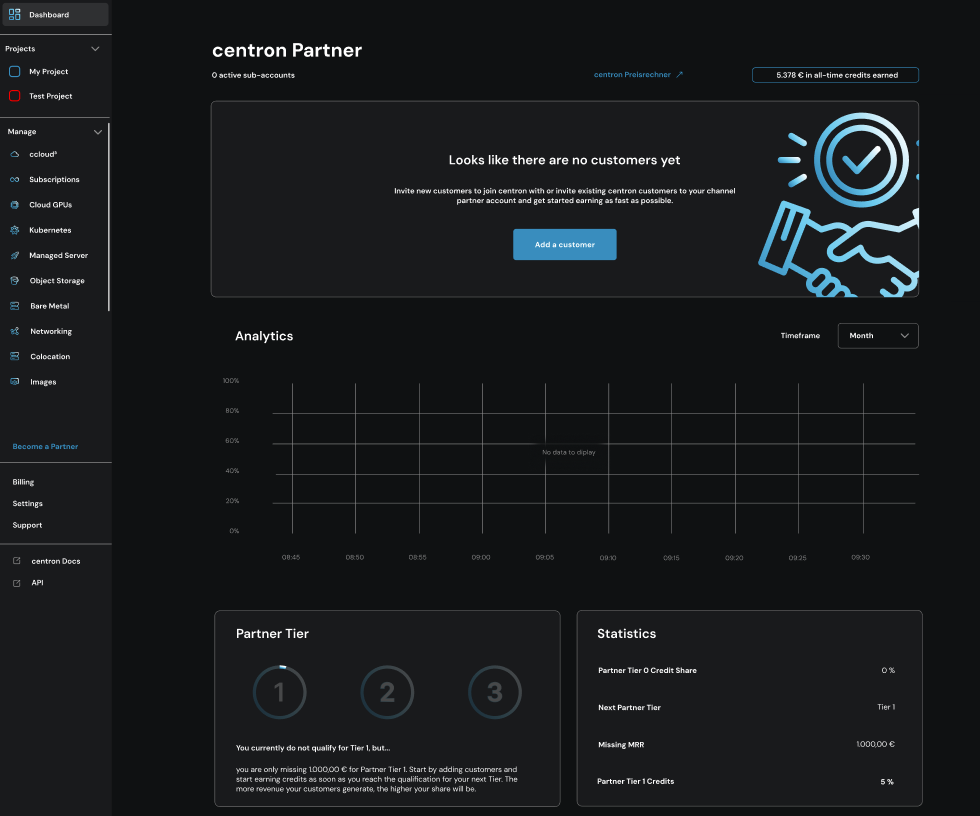
In the second step, open the Channel Partner Dashboard via the left-hand navigation bar.
There, you will be able to view your registered end customers, the status of invitations sent out and existing participants, as well as information about them and further details regarding your partner status.
3. Add a new ‘End Customer’
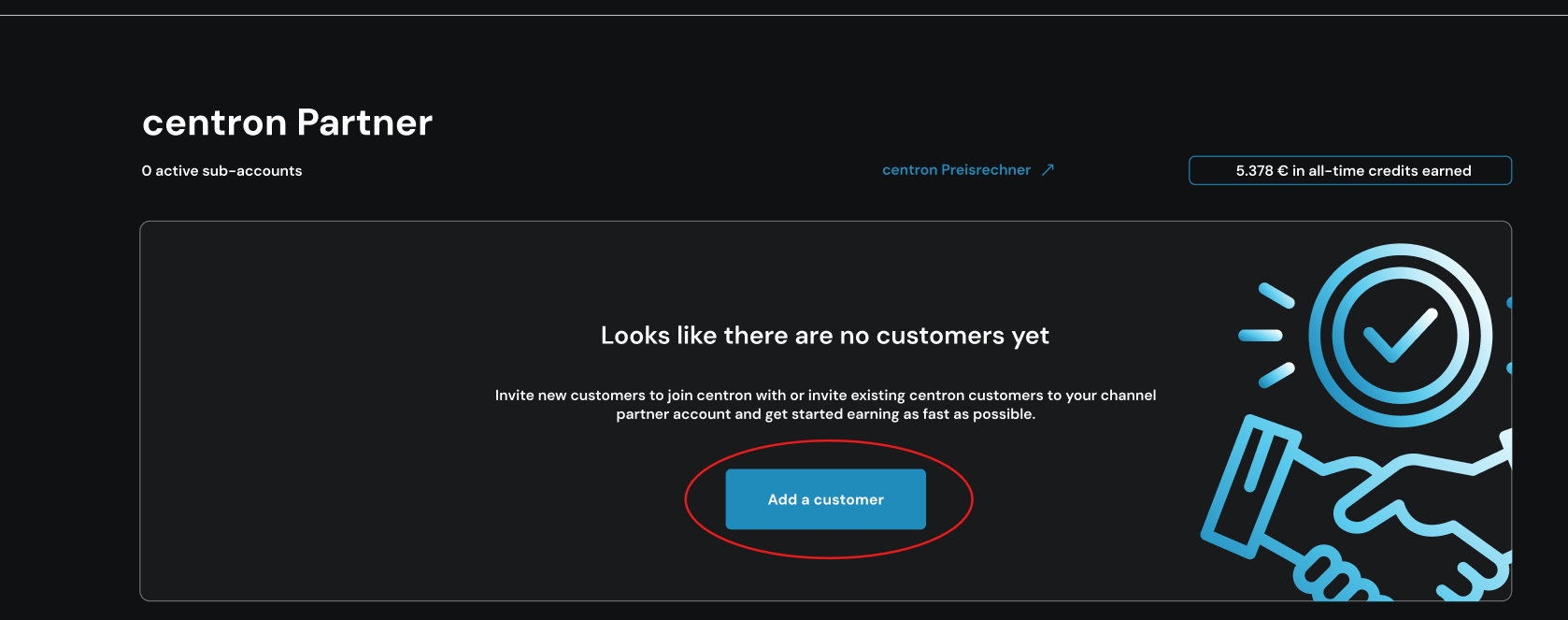
In the Channel Partner Dashboard, select the option ‘Register a new customer now’. If you do not have one saved, the registration screen will appear as follows:
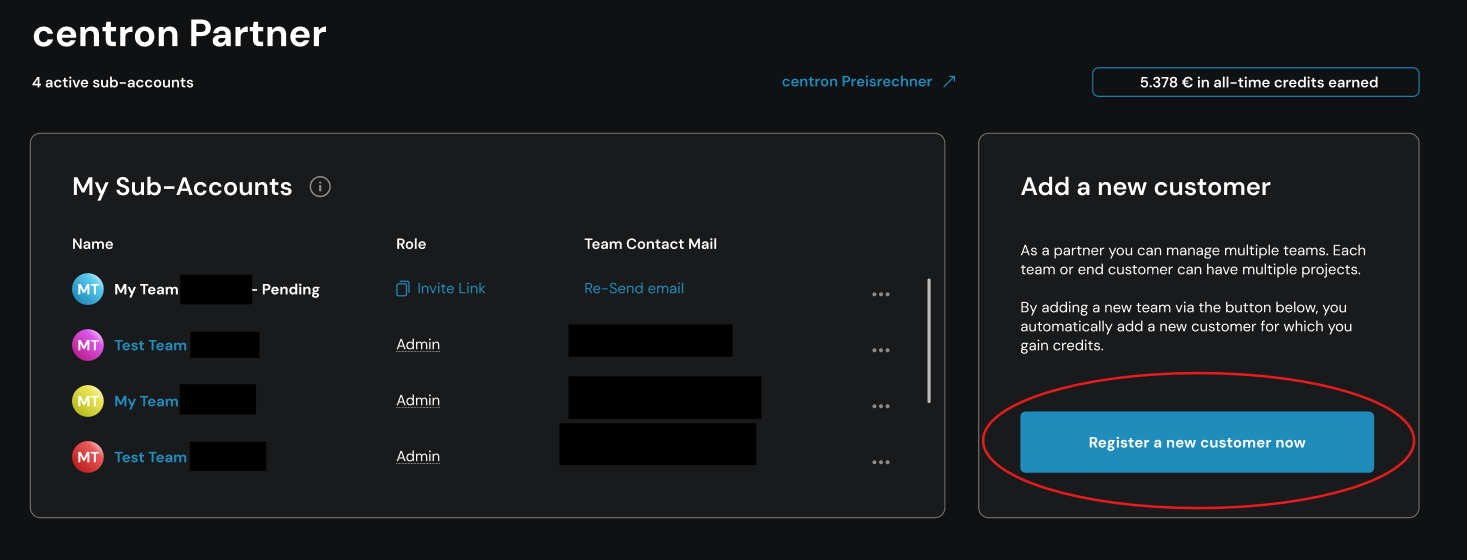
If you have already registered customers, the login option will appear directly next to your customer overview, as shown in the screenshot below:
In any case, once the user has clicked, the registration process for a new end customer will begin. To complete the process successfully, the following must be done:
-
the end customer’s company details are provided. Please enter the required details fully and accurately. These may include, in particular, the following information:
- Company name
- Legal form
- Business address
- Business email address
- Further details for unique identification
Please check the details carefully. Incomplete or incorrect information may delay or prevent the allocation.
-
A contact person at the end customer must be specified. Please provide at least the name and business contact details of the person responsible for further coordination with centron. Please ensure that the contact person is aware that their details will be shared and that centron will be contacting them.
By confirming the transaction, you are requesting that the end customer be assigned to your channel partner account. Registration alone does not mean that the assignment has already been confirmed.
centron first checks the information submitted and verifies whether the end customer can be clearly identified and matched to the channel partner.
For example, assignment is not possible if the end customer is already assigned to another channel partner or was already a centron customer prior to registration. You can view the current status of your enquiry in the Channel Partner Dashboard.
4. Check the end customer in the customer overview
Once centron has successfully verified and assigned the end customer, they will appear in your customer overview. You can find further information about your partnership on the overview page.
5. Note the start date for the credit calculation
The end customer’s turnover is only taken into account when calculating credit balances from the start date specified for the allocation.
Turnover generated prior to the confirmed allocation or prior to the defined start date will not, as a rule, be credited retrospectively. The amount of the credit depends on the actual net end-customer turnover and your current tier level.