Register as a channel partner
With the centron Channel Partner Programme, you can refer new end customers and receive a monthly credit based on the revenue generated by the end customers you refer. To take part in the programme, you must first apply via the centron Portal.
Prerequisites
To register, you will need:
- an active centron account
- complete company details
- suitable proof of company status, such as an extract from the commercial register or a business registration certificate
- authorisation to submit the application on behalf of your company
Private individuals are not eligible to take part in the Channel Partner Programme.
1. Log in to the portal
Log in to the centron Portal using your login details.
Please ensure that you are using the account of the company that is to take part in the Channel Partner Programme.
2. Open the ‘Channel Partner’ section
Click on Become a Channel Partner in the navigation bar on the left-hand side.
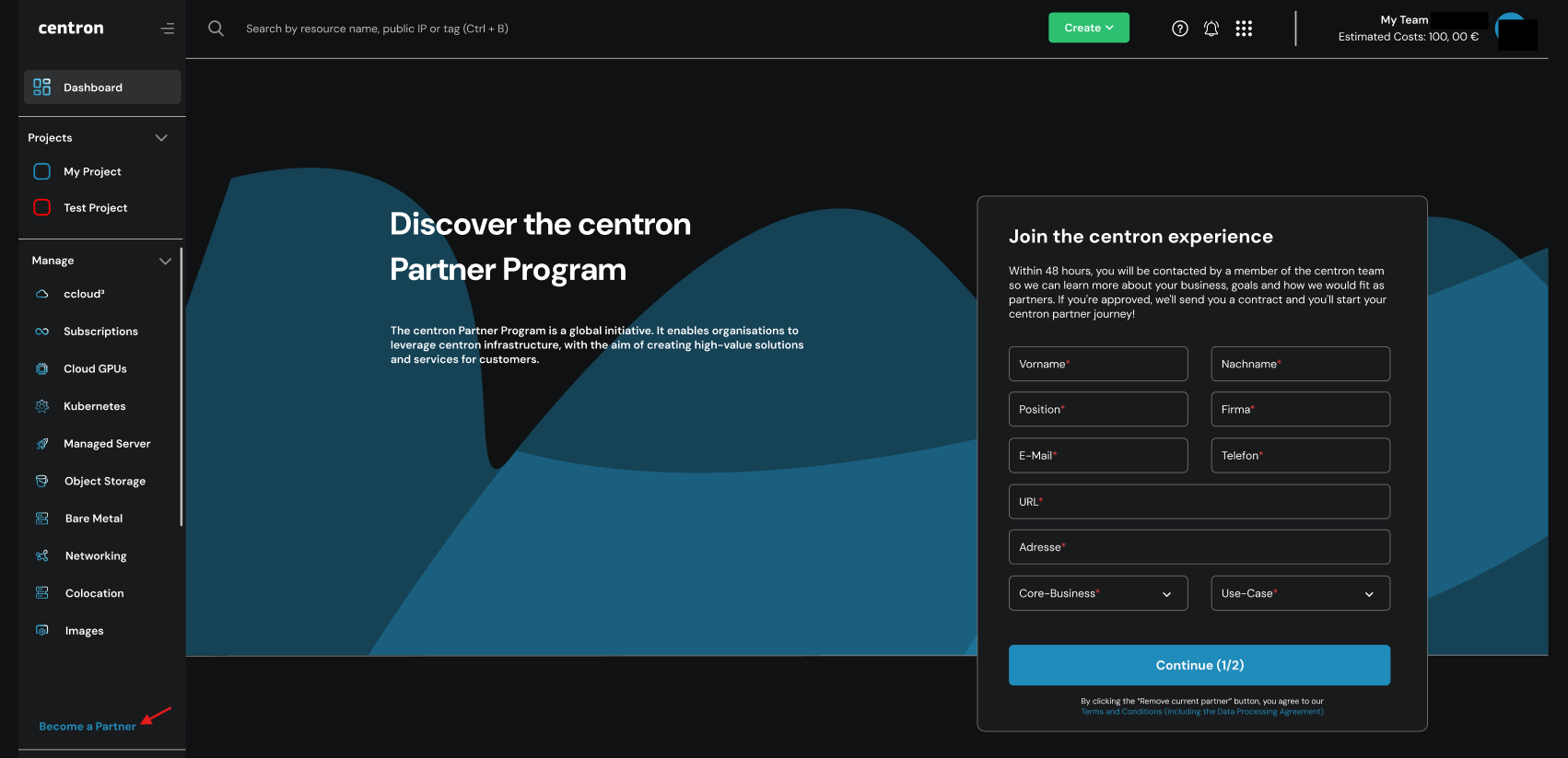
There you will find the option to apply to join the centron Partner Programme. Once you have successfully completed the registration process, you will find all the information relating to your channel partner account here.
3. Apply to take part
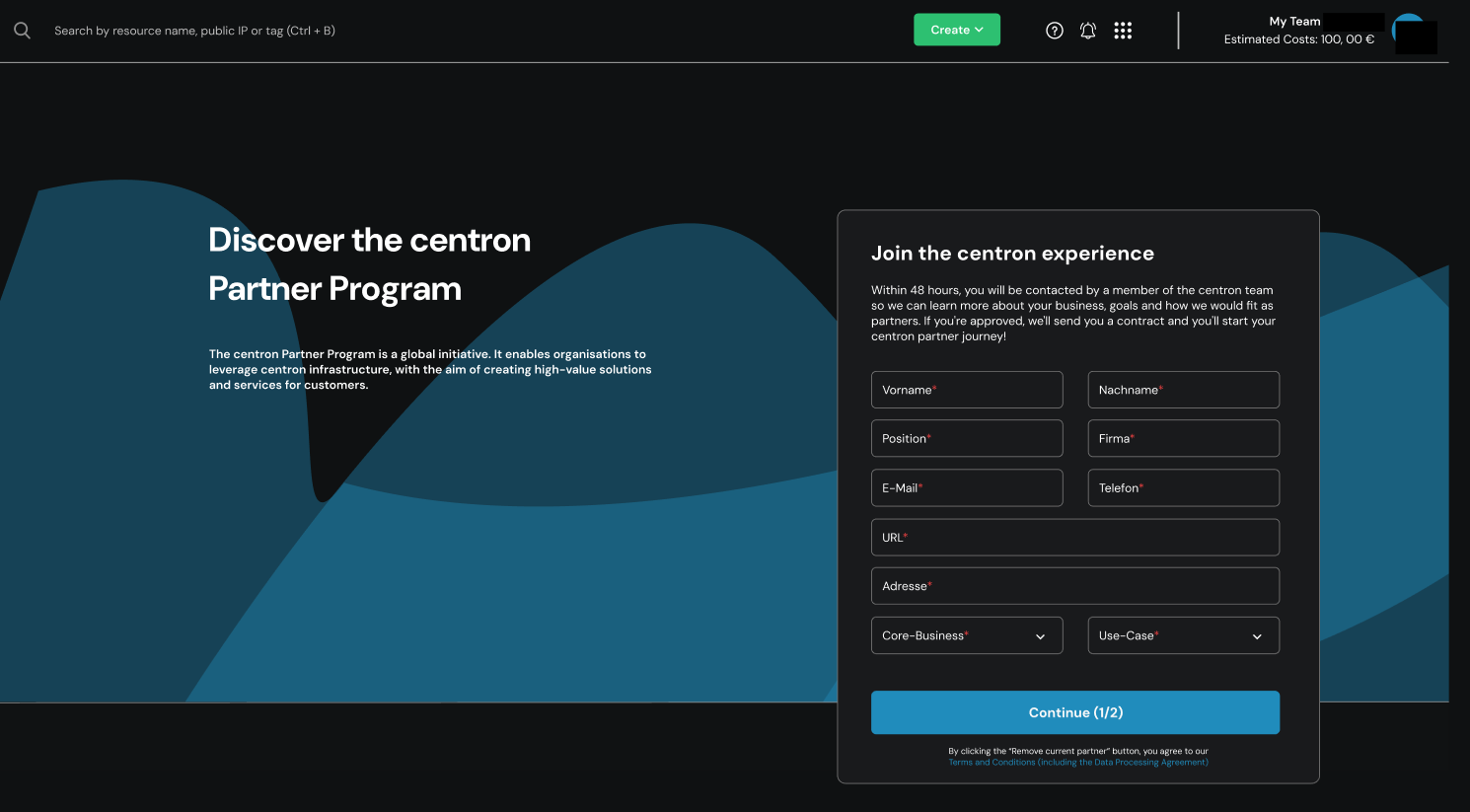
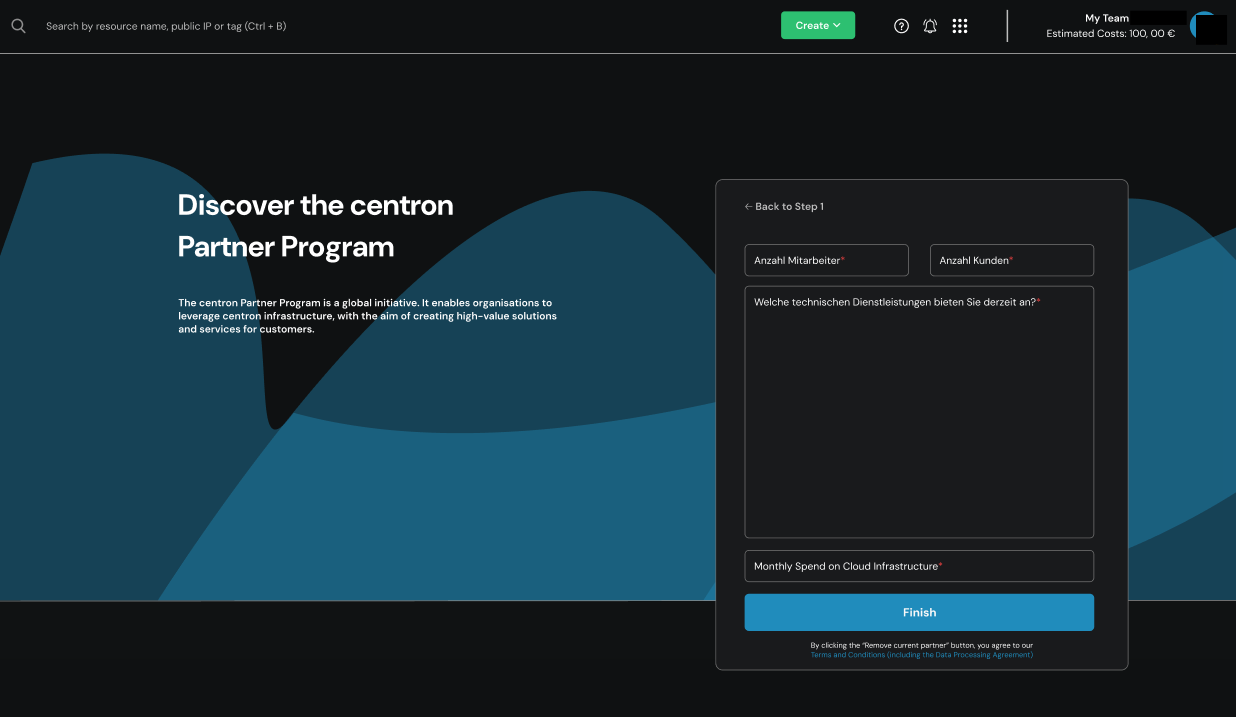
Step 2 takes you straight through to the registration process. Please fill in all the fields on the form below with the required information.
Step 1:
Step 2:
Conclusion:
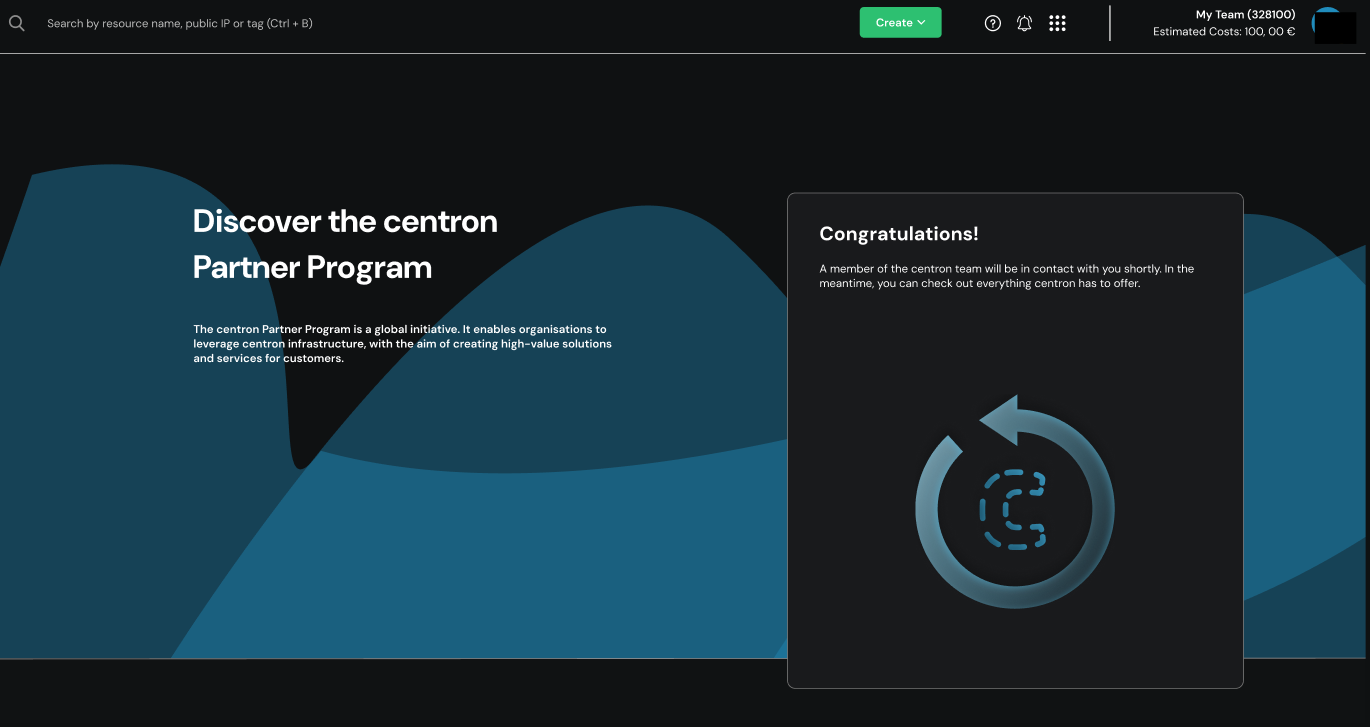
Once you have completed the registration process, a member of the centron team will get in touch with you as soon as possible. In the meantime, please check again ...
3.1. Company details stored in the account
Please check the company details stored in your account. These are of crucial importance for your acceptance as a channel partner. Please add any missing information or correct details that are no longer up to date.
This may include, in particular, the following information:
- Company name
- Legal form
- Business address
- Company registration number or business registration number
- VAT registration number
- Contact person
- Business contact details
The details must match those given in the application for membership.
4. Wait for approval
centron checks the company details submitted, the supporting documents provided and the eligibility criteria.
Until the programme is launched, end customers cannot yet be registered via the Channel Partner Programme.
5. Using the Channel Partner Dashboard
Once your application has been successfully approved, your account for the Channel Partner Programme will be activated. You will then be able to access the Channel Partner Dashboard.
This makes it possible to …:
- to register new end customers
- to view existing end customer assignments
- to check the revenue generated by referred end customers
- view your current tier level
- track the progress of your credit balance
- check the status of referrals you have submitted
Once your account has been activated, you can begin registering and referring new end customers.