View your own end customers’ expenditure and credit balances
As a Channel Partner, you can view the expenditure of the end customers assigned to you, your current tier level and the credit balance calculated on that basis in the centron Portal. This overview helps you to track the progress of the sales you have generated in a transparent manner.
To do this, please first log in to the centron Portal. It is important that you log in using the company account that has been activated for the Channel Partner Programme.
Next, use the left-hand navigation bar to access your Channel Partner Dashboard.
Here you will find all the information you need about: your registered end customers, the status of invitations sent out, and more. The dashboard also serves as your control centre, where you can keep track of ...
-
Your monthly referred turnover: Only the eligible net turnover from end customers who have been clearly assigned to you is taken into account when calculating your credit balance. Taxes, discounts, credit notes and special agreements are not included in the standard calculation basis.
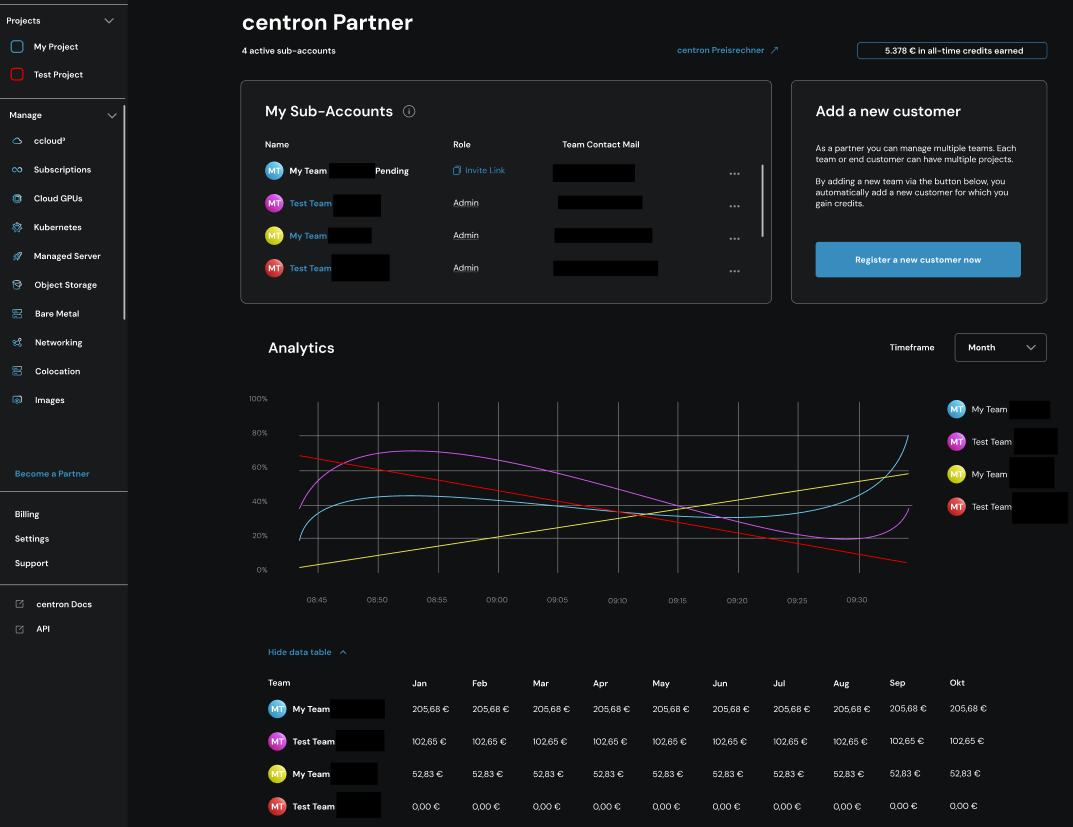
The graph in the screenshot above shows the turnover from the end customers you have referred, as well as how this has changed over time. The table below provides a more detailed breakdown of the turnover by month.
-
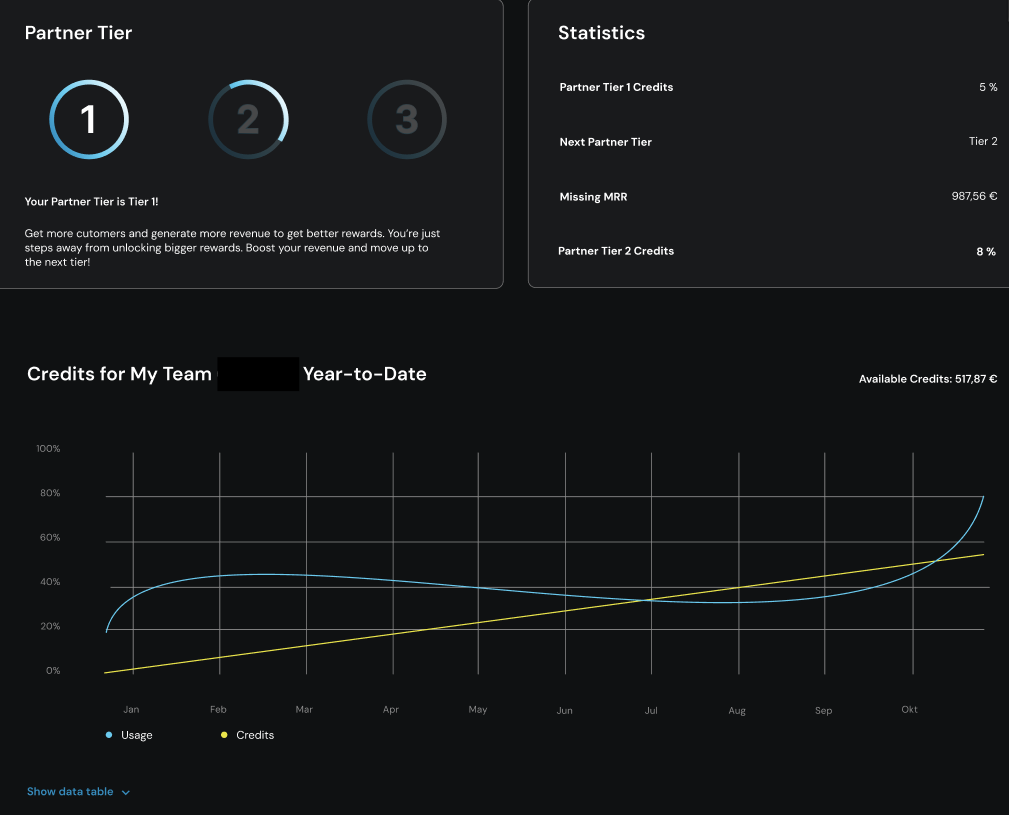
Your current tier and your earned and used credit: A tier is determined by the net end-customer turnover actually generated by a channel partner over the past three months. The three tier levels (1–3) in turn determine the relevant percentage, which influences the share of the total net turnover generated. The amount of credit distributed to a channel partner depends on their current tier level. A higher tier therefore means a higher monthly credit balance for your own use. The following figure shows the graph, which always illustrates how much of your accrued credit balance you have already used (green) and how much is still available (yellow).
Please note that newly registered end customers are only taken into account from the confirmed start time of their allocation.