Delete projects
A project can only be deleted if the following conditions are met:
-
There must be no resources left in the project: To clear the project, you can either delete the resources or move them to another project.
-
The project must not be set as the default project: If it is currently the default project, you can set a different project as the default in the project’s settings.
Prerequisites
- Access to the centron Control Panel
Deleting a project in Control Panel
To remove an empty project that is not set as the default project, open the Settings section in the selected project:
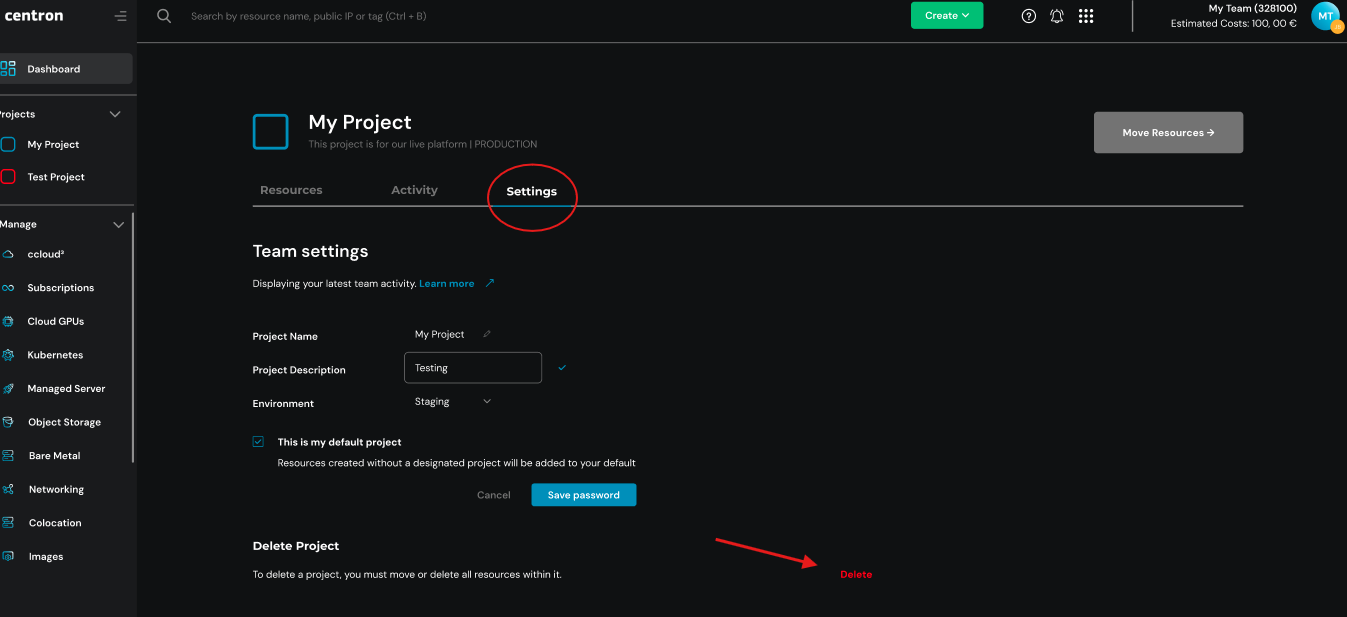
In the Delete project section, click Delete and then confirm the deletion prompt if you wish to complete the process.
This will permanently delete the project from your account.