Move resources
Shifting resources between projects helps you adapt your project structure to new requirements – particularly as your infrastructure grows or changes.
In principle, you have two options available to you:
-
Moving individual items: from any project to another project.
-
Batch move: moving several resources from different projects into a single target project.
Prerequisites
- Access to the centron Control Panel
Moving individual resources in Control Panel
Open the project from which you wish to move a resource. In the Resources pane, locate the relevant resource, click the ... menu on the right-hand side of the row and select Move to....
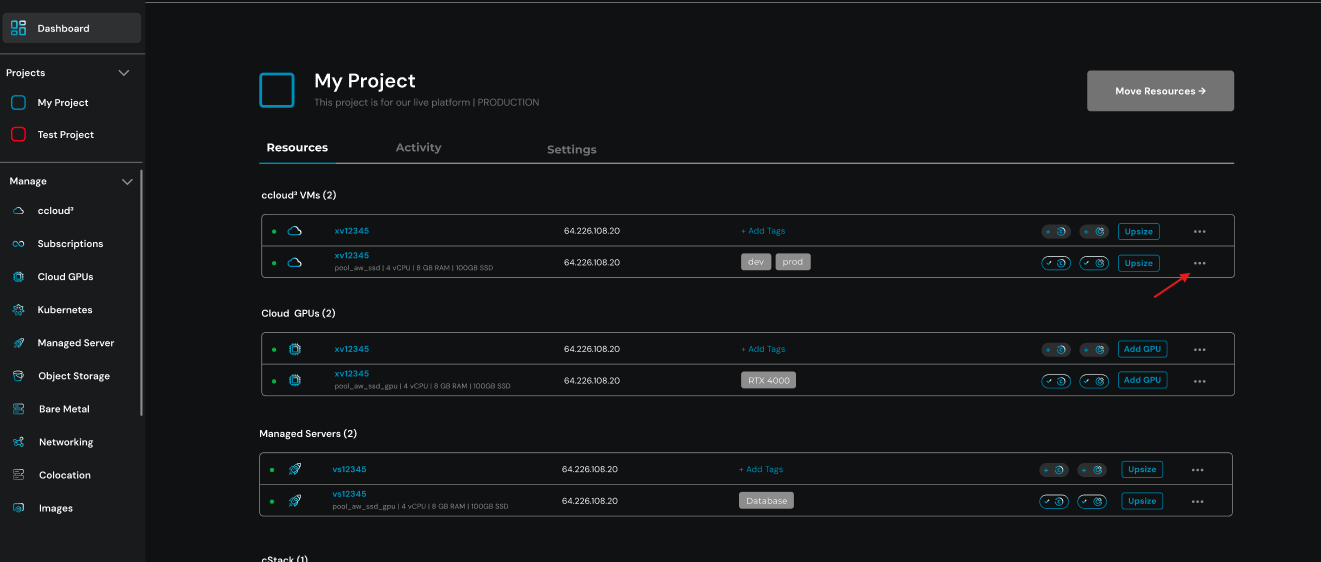
In the ‘Select project’ dialogue box, select the target project and confirm by clicking Move to (project name).
Once the resource has been successfully moved, a confirmation message will appear. The resource will no longer be displayed in the original project. You will then be taken back to the resource overview of the original project, where you can move further resources if required.
Moving resources collected in Control Panel
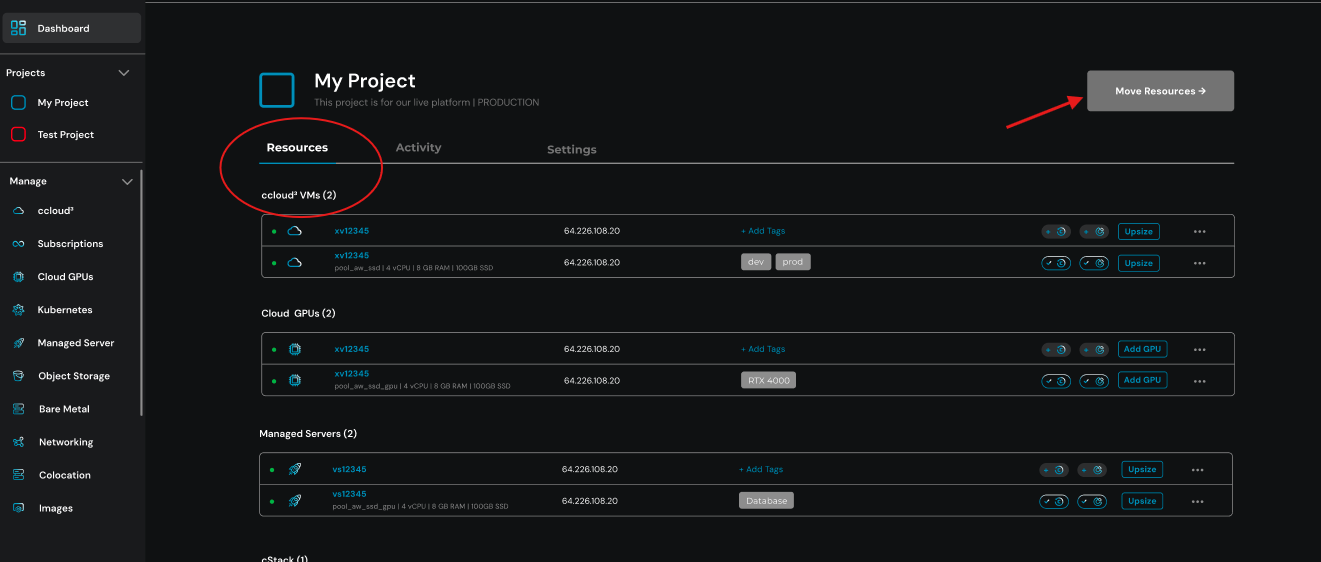
If you wish to move several resources at once, first open the destination project to which the resources are to be transferred. In the Resources pane, in the top right-hand corner, click on Move Resources:
As soon as you click in the text box, a list of all movable resources from other projects will appear. You can filter the list by entering specific criteria:
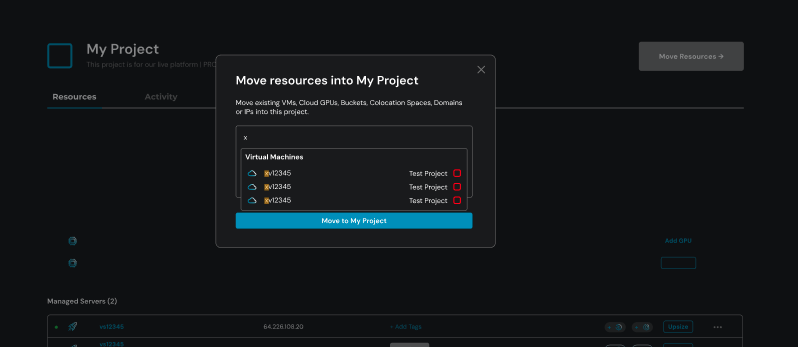
Select the required resources and then click on Move to (project name). The selected resources will then be moved to the currently open target project.