Account
Your personal centron account allows you to customise it to suit your individual needs. This includes, amongst other things, your name, login method, email subscriptions, team memberships and other settings.
This way, you can ensure that your account is tailored exactly to your preferences and that you can make the most of the wide range of centron services to suit your needs.
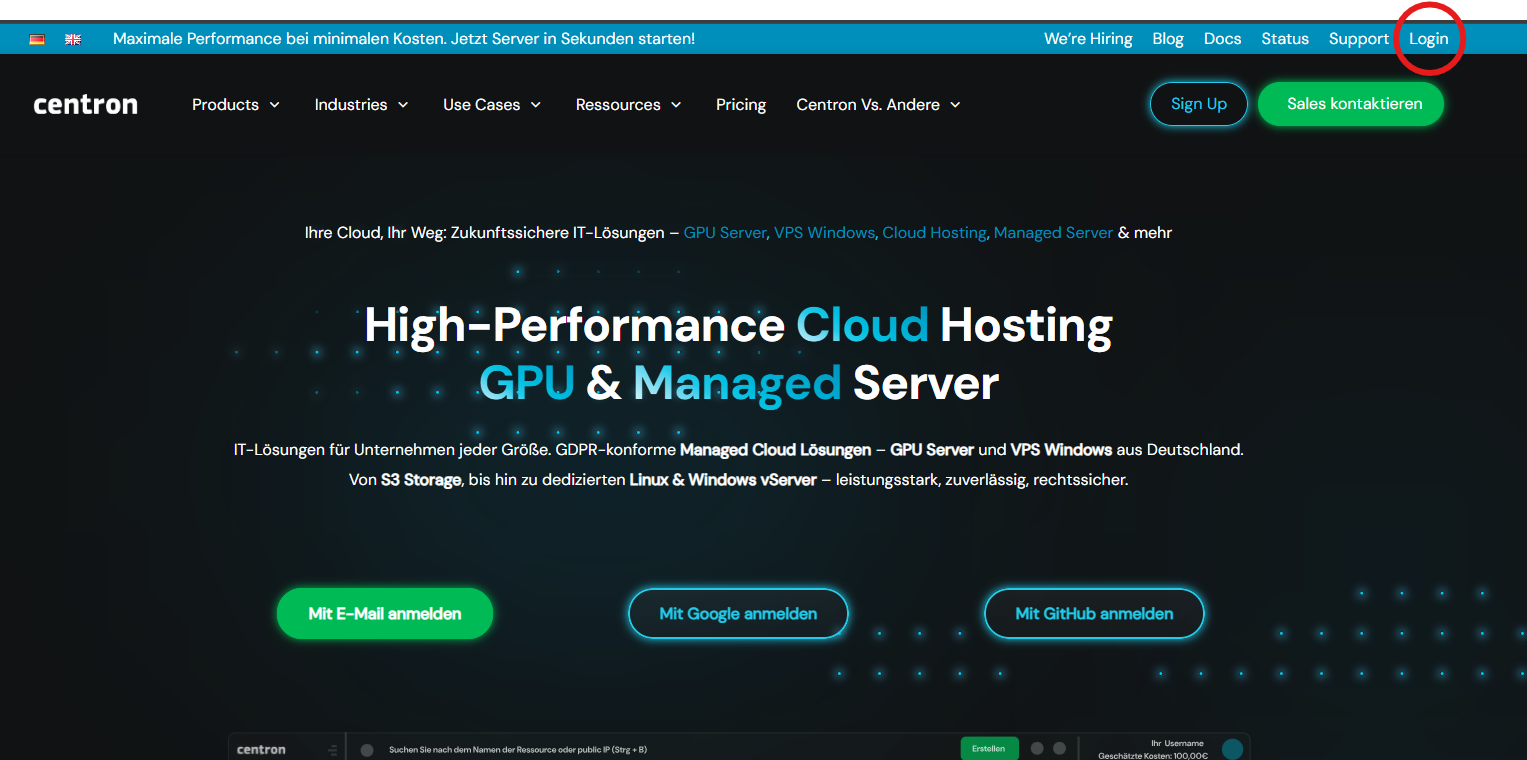
To log in to your account, it is best to visit the centron homepage:
There, click on Login in the top right-hand corner, in the blue banner area. This will take you directly to the Account Centre, where you can log in or register a new account if you do not yet have one.
Once you have successfully logged in, you will be taken to the heart of the system – your user dashboard. From here, you can manage and change your account settings, and access a wide range of other services directly.
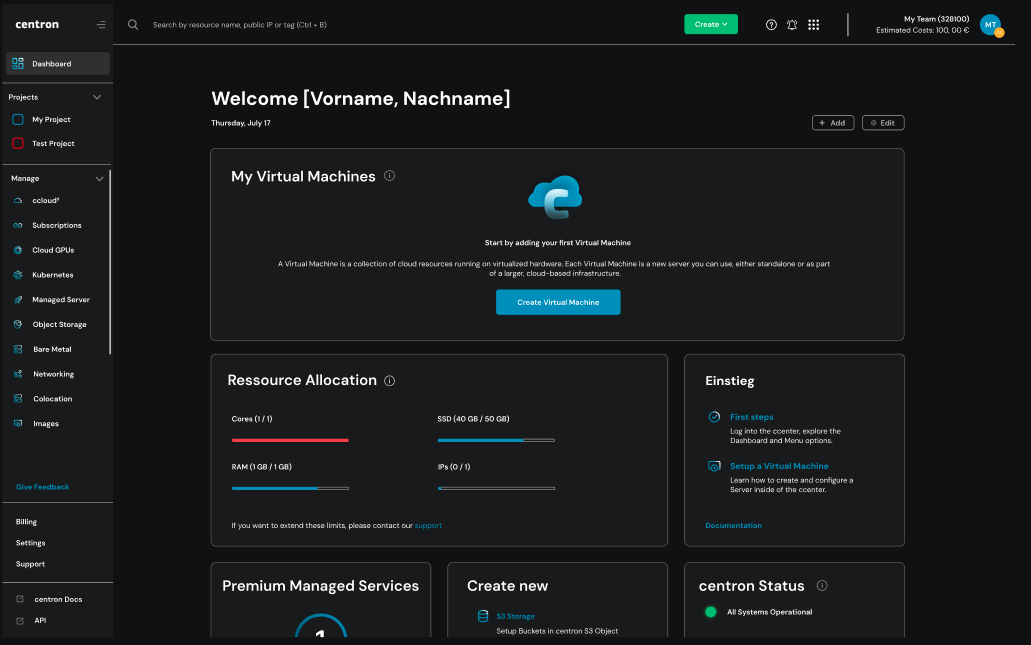
Access account settings
You can access Account Management by clicking on the profile icon in the top right-hand corner of the control panel. In the drop-down menu, click on My Settings. This will give you access to your personal account settings. There, you can view and edit important account details, your login method, 2FA, team memberships, email settings and your account’s activity status.
Account verification
Account verification takes place automatically and usually occurs within 30 days of opening and using your account.
Increasing the limit for ccloud³ VMs and disks
Once your account has been verified and your first invoice has been paid, we will increase your limit for ccloud³ VMs. You can view your limit for ccloud³ VMs on your account or for Teams at any time and request an increase via your account settings. Once we have reviewed your request, we will update your limit.