Limits for teams
Each team has upper limits for the resources you can create. You can see current usage and limits at any time in the team settings.
View limits
Click your profile icon in the top right-hand corner and select Team Einstellungen (team settings). In the Team tab, the Limits section shows the usage of each resource in relation to its limit, for example “Kerne (2 / 4)” (cores).
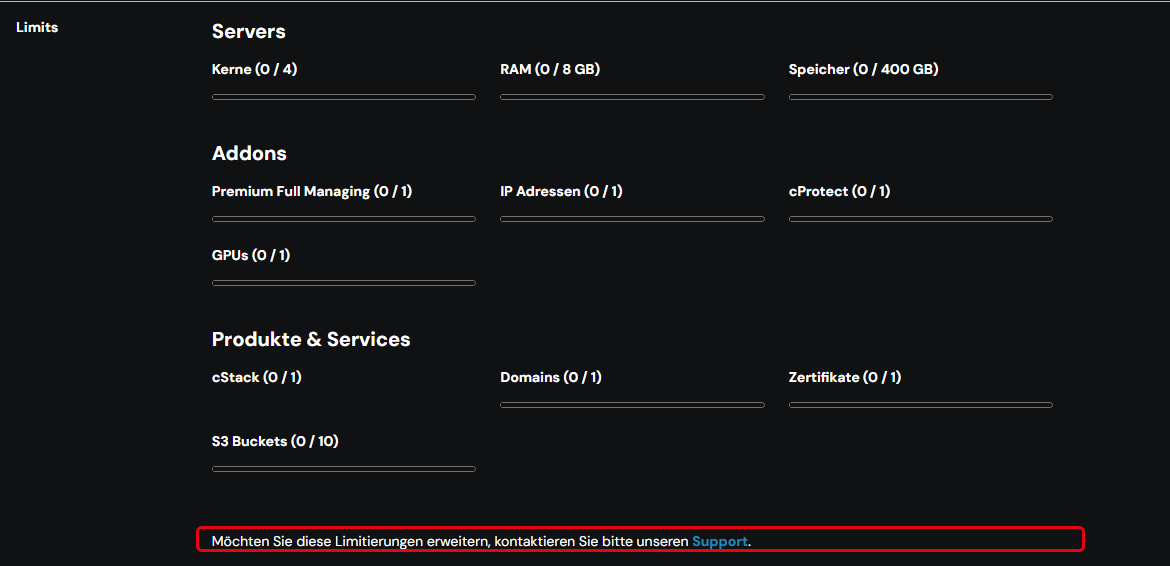
The limits are divided into three groups:
- Servers: cores, RAM and storage
- Addons: Premium Full Managing, IP addresses, cProtect and GPUs
- Produkte & Services (products & services): cStack, domains, certificates and S3 buckets
The same overview is available on the dashboard under Ressourcen Verteilung (resource distribution).
Increase limits
If you need more resources than your limit allows, contact support.
Basic rules for teams
- To invite team members, create resources or create further teams, a valid payment method must be set up for the default team.
- If a person is removed from a team, they lose access to the team in ccloud³ and via the API.
- Google and GitHub logins are accepted as secure sign-in. For these sign-in methods, two-factor authentication is neither detected nor enforced.